
Channels
Connect your channels
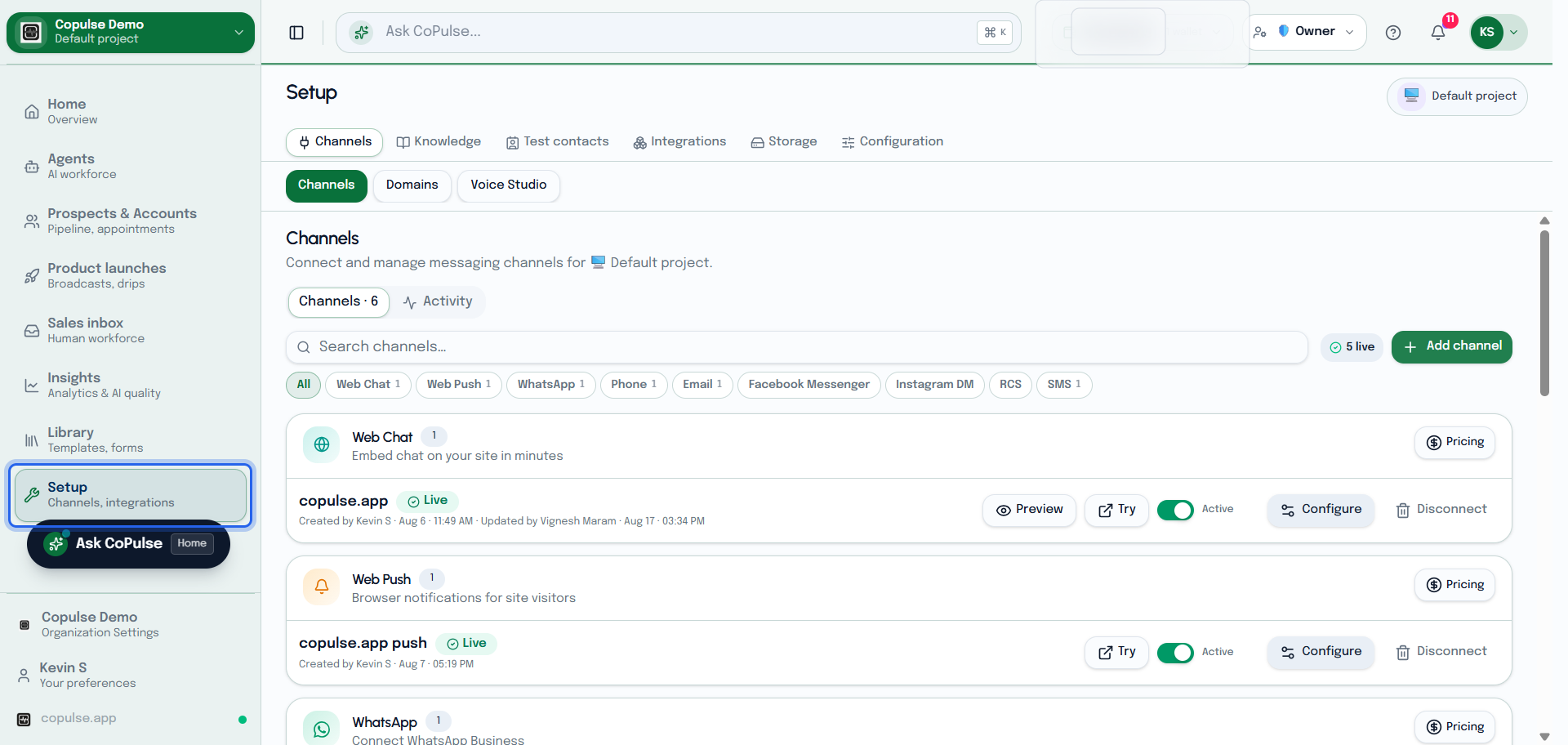
Each project can run several channel instances (for example two WhatsApp numbers). Setup lives under Setup → Channels. Pick the matching how-to below — WhatsApp new vs existing phone are separate pages.
Choose a setup guide
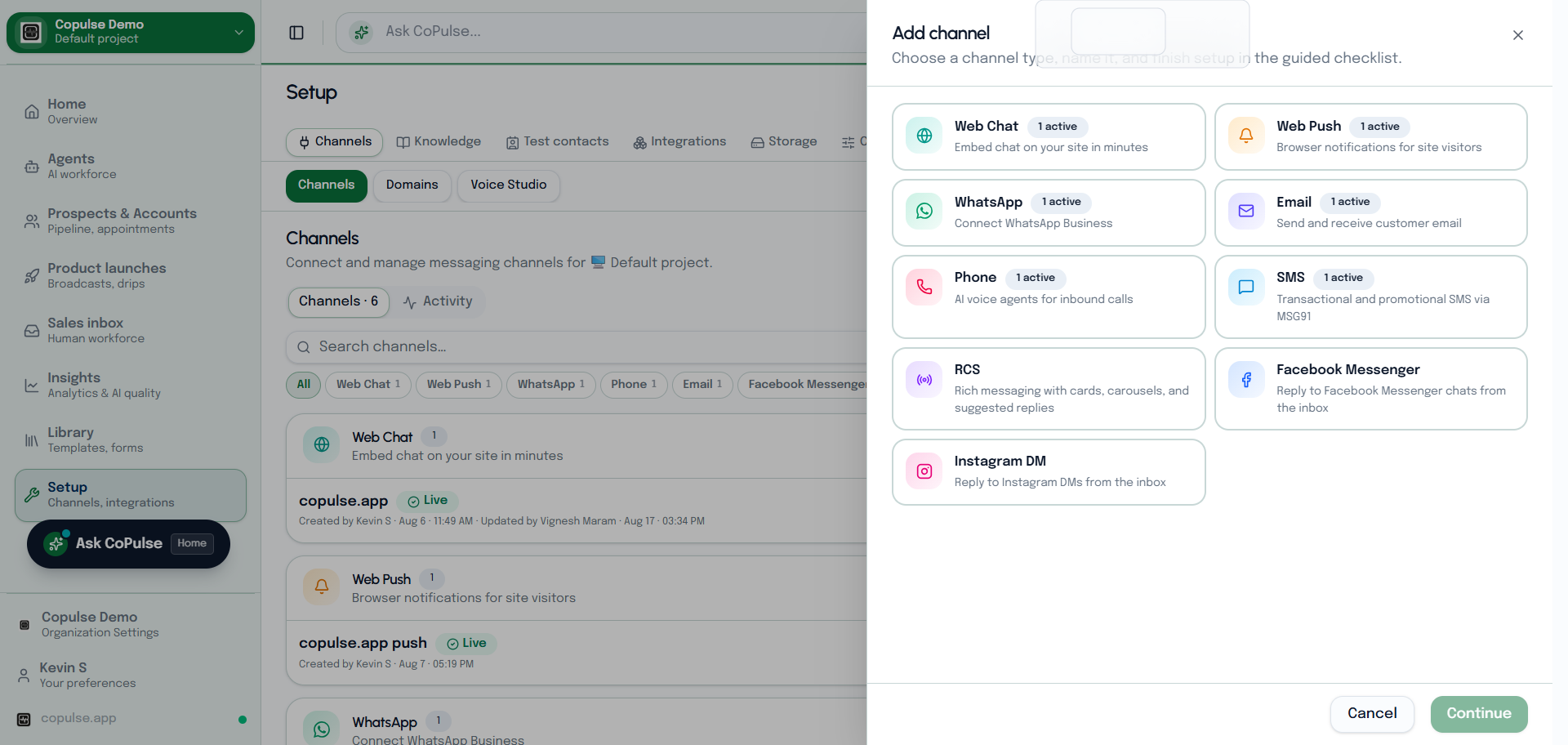
Gupshup + Meta embed. Separate pages for a new phone vs an existing Business App number. Settings, widget, and how to test.
Read →Web chat
Embed the widget, style it, and verify the bubble on your site. Appearance, greeting, and tracking settings explained.
Read →Web Push
Browser notifications via a service worker, then campaigns or drips. Prompt style, icon, site URL, and Test.
Read →Phone
Buy a new number in CoPulse. Connecting a number you already own is not supported. Voice profile and how to place a test call.
Read →SES or SMTP outbound, plus IMAP inbound so replies land in Inbox. Mailbox settings and Send test email.
Read →Messenger
Connect a Facebook Page and reply to DMs from Inbox. Greeting, comment AI, and test DMs.
Read →Link Instagram to a Facebook Page and reply to DMs from Inbox. Story/comment auto-reply and test DMs.
Read →RCS
Create an RCS agent, invite testers, send a test card, and submit verification.
Read →SMS
MSG91 sender ID, DLT in India, then send a test template from Settings.
Read →