
Growth
Campaigns
A campaign sends one message (or voice drop) to a list or segment. Create, edit, and send from the same Campaigns page — there is no separate “create only” help article.
In the app: Growth → Campaigns
Create and send
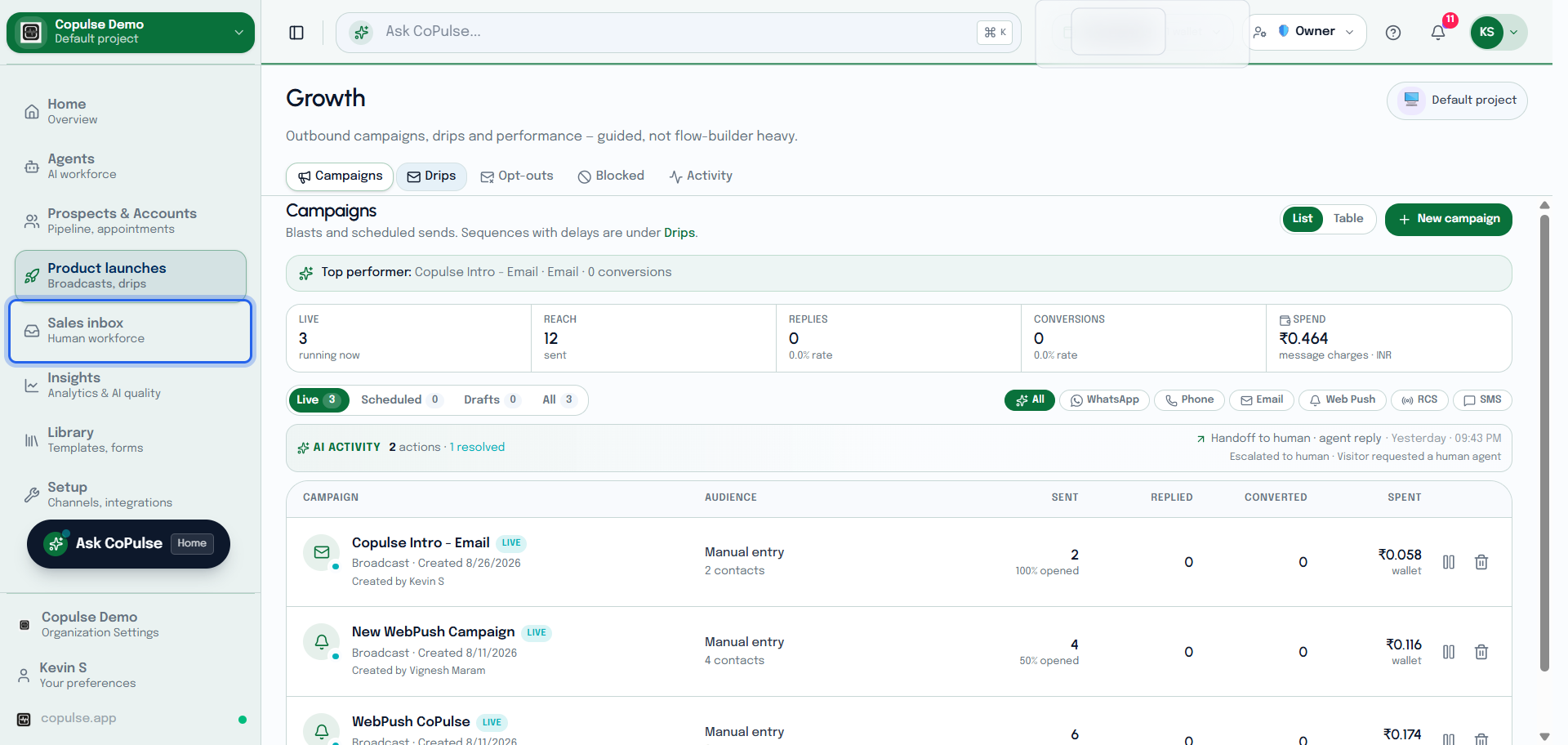
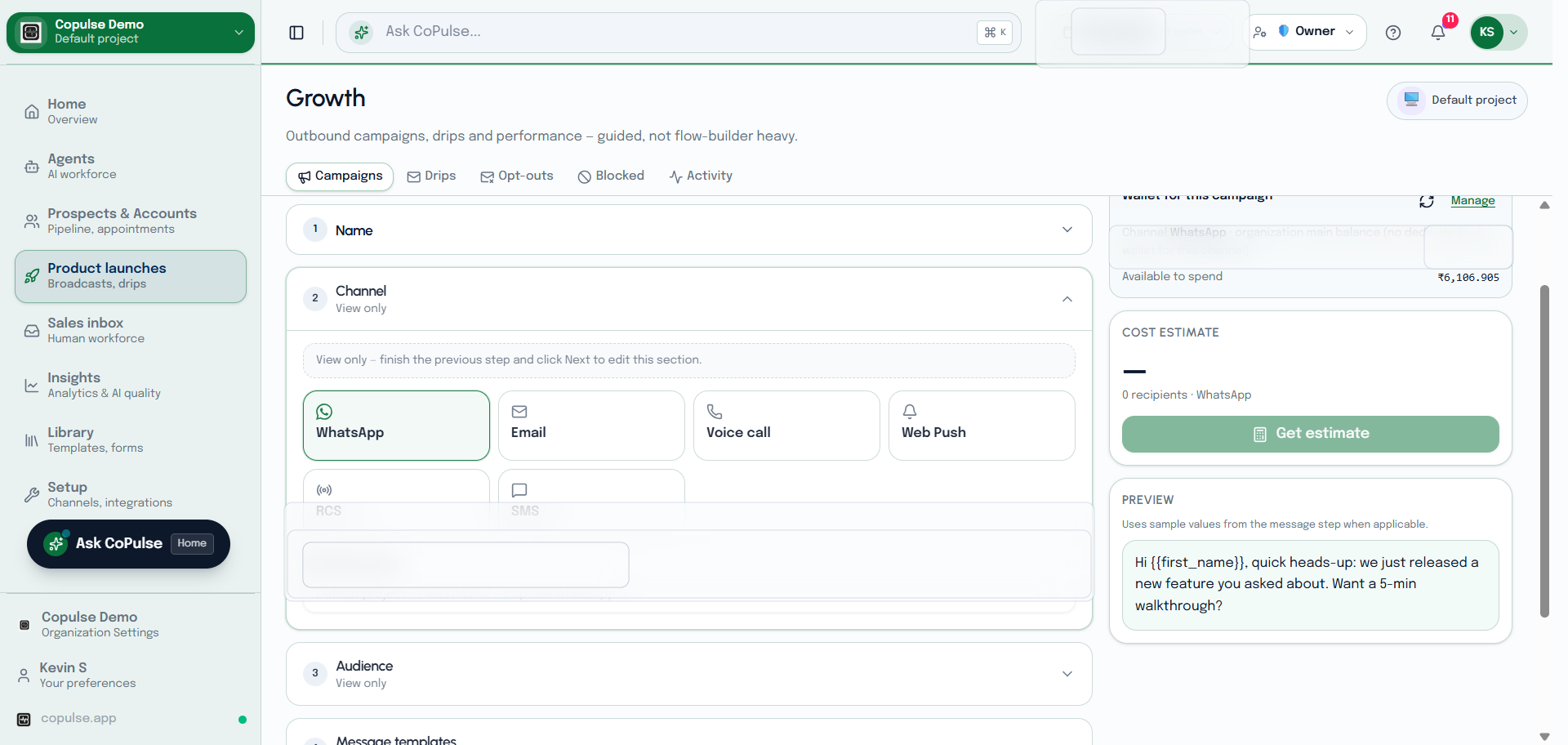
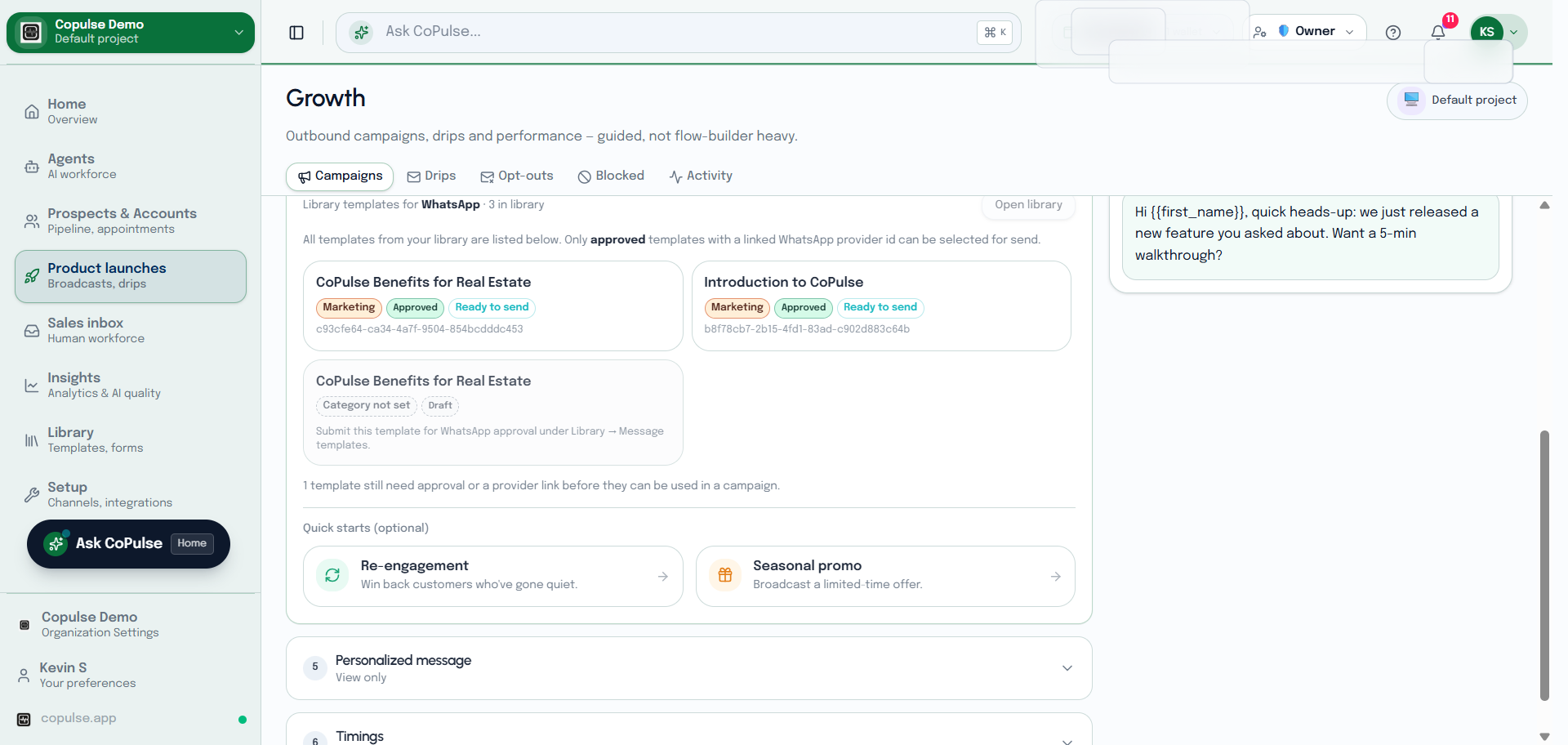
- Open Growth → Campaigns and click create.
- Pick the channel (WhatsApp, SMS, RCS, email, Web Push, voice, and so on).
- Choose audience: a static list, a segment, or a manual set of contacts. Contacts without an address on that channel are skipped.
- Select an approved template where the channel requires one (WhatsApp outside the session window, SMS DLT, RCS).
- Review wallet estimate. Top up if the send would pause mid-way.
- Send now or schedule. Watch dispatch progress on the campaign.
Opt-out and blocked
- Every marketing-style send must honor channel opt-out. Recipients who unsubscribed appear under Growth → Opt-outs.
- Blocked contacts (Growth → Blocked) are excluded from campaigns and drips until you unblock them.
- Do not re-import opted-out numbers onto a list and send marketing to them on the same channel.
See opt-outs and blocked contacts for how to review and remove rows.