
Web chat
Connect web chat
Web chat embeds a bubble on your site. Conversations land in the same project inbox as WhatsApp and other channels. Appearance is configured in CoPulse; install is a snippet on your pages.
In the app: Setup → Channels → Web chat
Configure in CoPulse
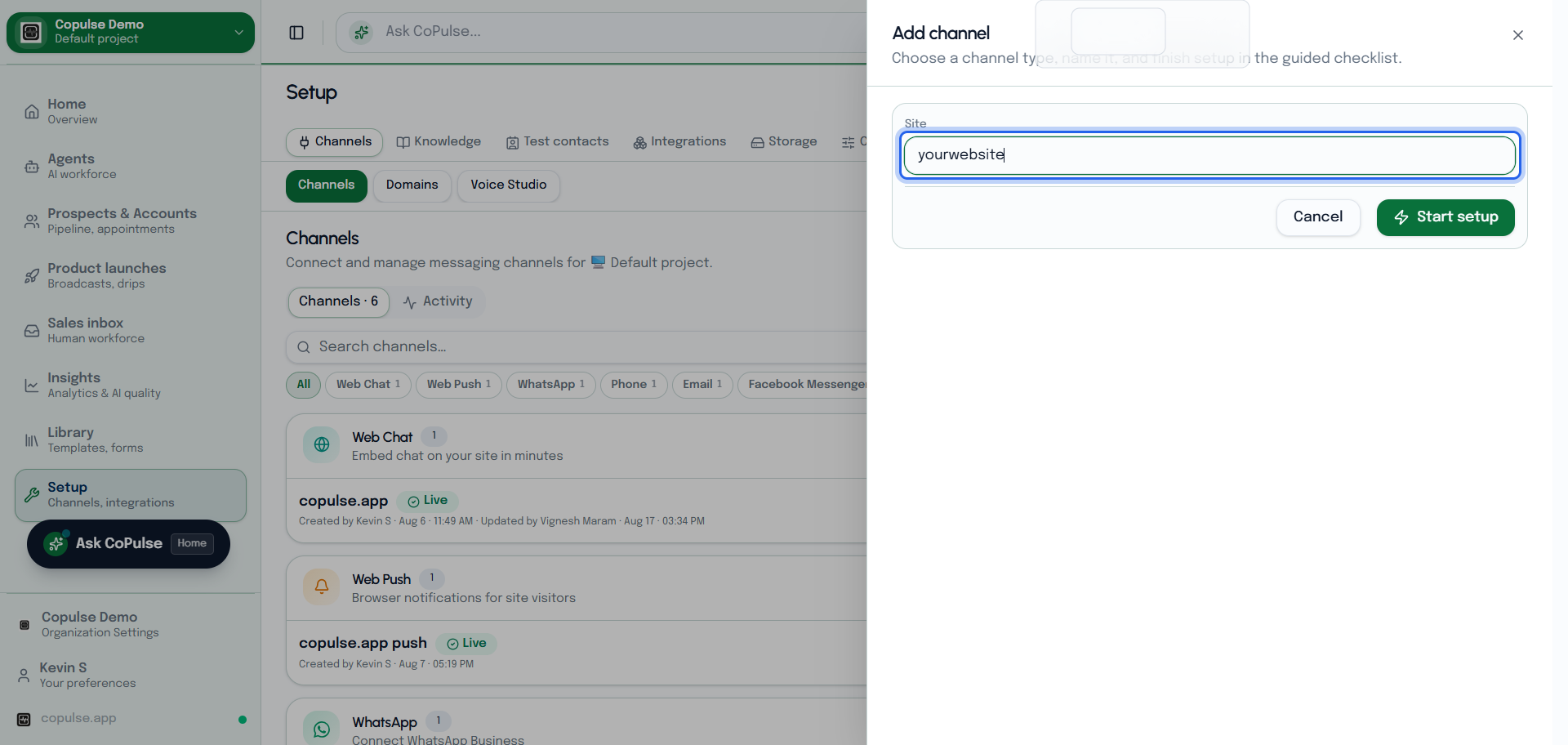
- Open Setup → Channels and add or select Web chat.
- Set the greeting, launcher position, and colors.
- Save, then copy the embed snippet.
- Follow Install the widget to put it on your site.
Settings and what they mean
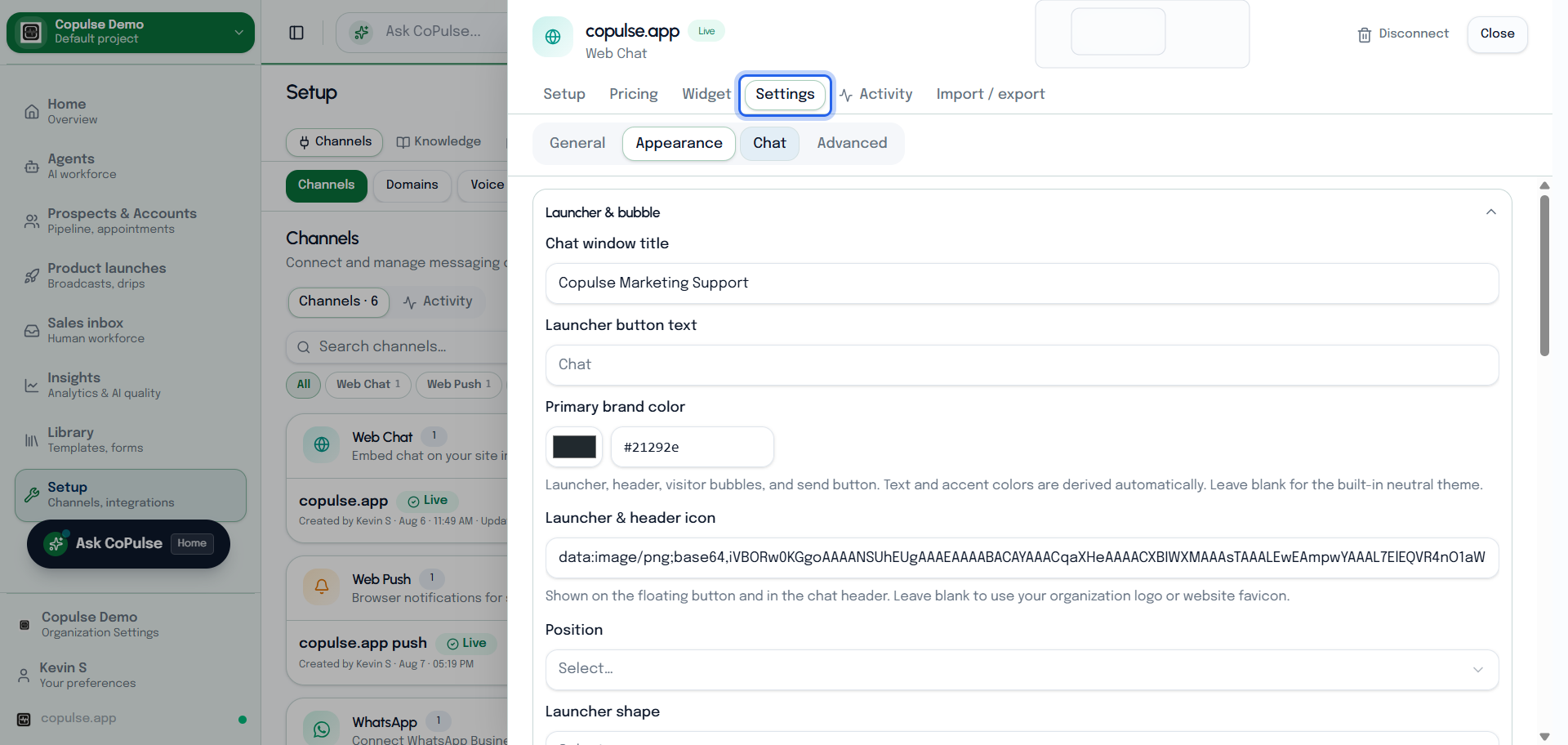
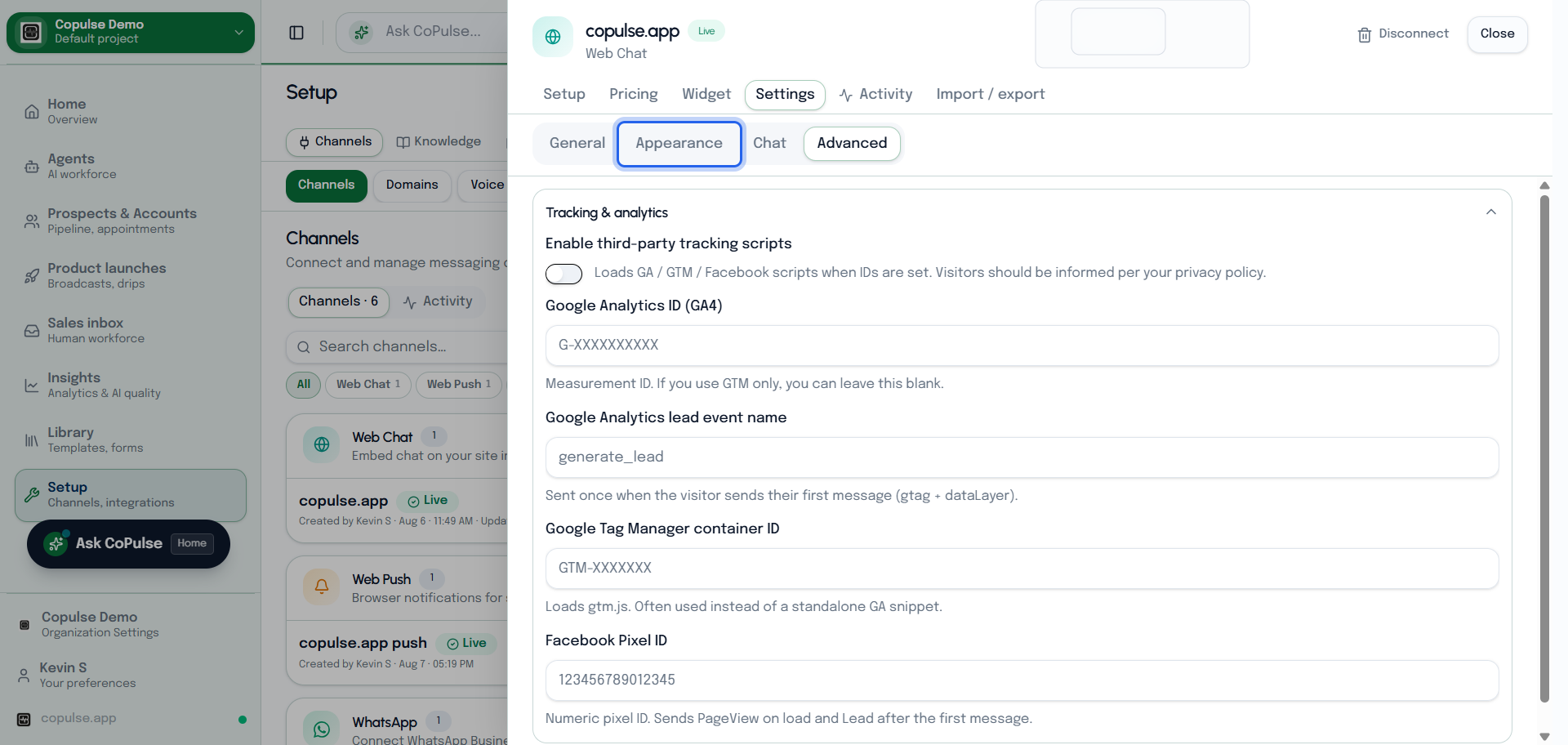
Settings are grouped so you can collapse what you do not need. Channel name / Site is a CoPulse label — it does not change the embed snippet or channel id.
| Setting | What it means |
|---|---|
| Launcher & bubble | Chat window title, launcher text, primary brand color, icon, position (bottom left/right), pill vs circle, size, and the teaser line above the closed bubble. |
| Auto-open | Delay in milliseconds before the panel opens on desktop vs mobile (0 = off). Proactive messages greet returning visitors. Bubble shake interval nudges the launcher. |
| Welcome message | First bot line when the visitor opens the panel. Separate from the launcher teaser. |
| Contact form after N replies | Force name/email/phone after that many agent replies (0 = with the welcome). Empty disables capture. |
| Appointment nudge | After contact capture, append a Book appointment button every N agent replies if the AI did not include one. |
| Voice input | Microphone next to the composer for browser voice (not the Phone channel). |
| Tracking | Optional GA4, GTM, and Facebook Pixel. Lead events fire on the visitor’s first message. Enable only if your privacy policy covers it. |
| Color overrides | Leave blank to derive from primary brand color. Use only when you need a mismatch (e.g. dark panel, light bubbles). |
How to test web chat
- Install the snippet (or use a staging page) and hard-refresh.
- Click the bubble, send a short message, and confirm it in Inbox on this project.
- If you enabled contact capture, send enough agent replies to see the form.
- If the bubble never appears: CSP (script-src / connect-src), cached HTML, or the snippet on a different origin than you tested.